

Birthdays
Send thoughtful, automated birthday messages to stay connected with students
The Birthdays module helps HE and FE teams nurture relationships by adding a thoughtful, personal touch to student communications. Each year, students can receive a customised birthday message by email or SMS.
It works alongside connected Student CRM tools such as Student Database, Campaign Manager, Comms Centre, and Knowledgebase, helping your team keep light-touch engagement consistent without adding manual work.
What is Birthdays?
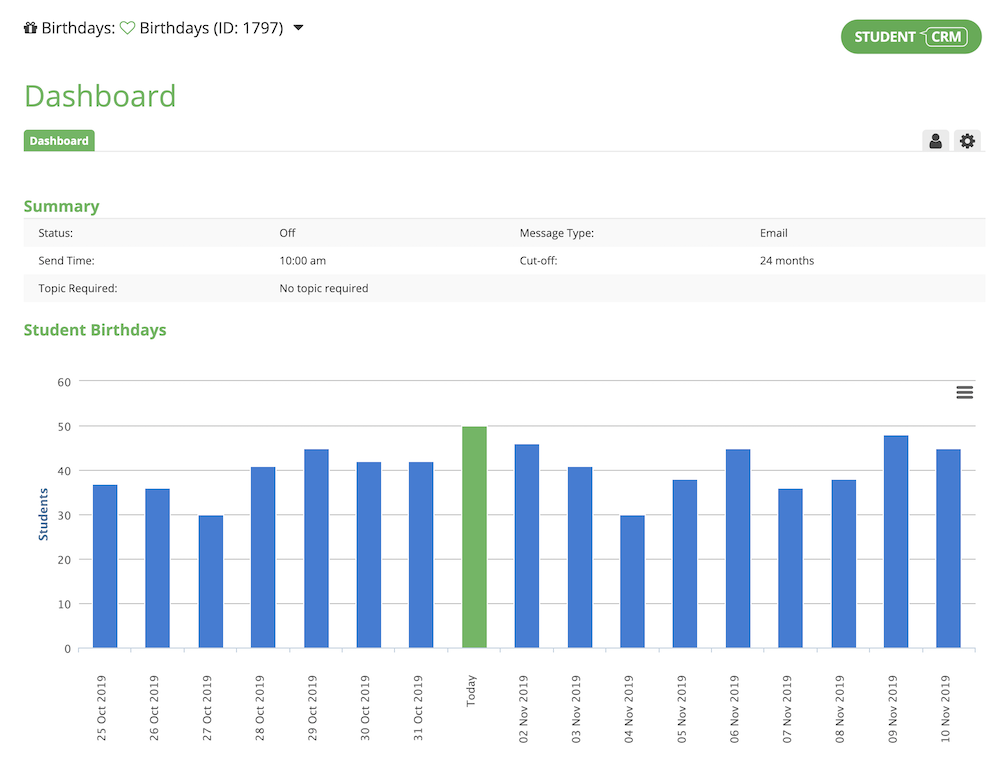
Birthdays is a Student CRM module that helps universities and colleges send automated birthday messages to students and prospective students. It uses student data held in the CRM to send personalised email or SMS messages, while respecting marketing opt-outs, audience rules, selected topics, and time-based cutoffs.
Personalised messages, precise audiences, and true set and forget
Customised birthday messages
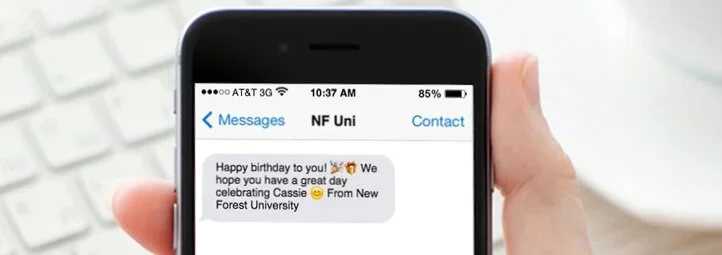
Send personalised messages to each eligible student automatically.
- Choose email, SMS, or SMS with email fallback.
- Use branded messaging that reflects your institution.
- Send daily birthday messages to eligible students without manual checks.
Audience control
Keep birthday messages relevant, appropriate, and aligned with communication preferences.
- Respect marketing opt-outs automatically.
- Limit messages to students with selected topics or criteria from the Student Database.
- Use time-based cutoffs to stop messages after a set period.
Set and forget automation
Once configured, the module runs quietly in the background and supports light-touch student engagement year-round.
- No manual work needed after setup.
- Maintain engagement between larger campaigns.
- Keep communication visible through connected tools such as Comms Centre.
Birthdays FAQs
Common questions about using Birthdays to send automated email or SMS birthday messages, manage eligible audiences, respect marketing opt-outs, and keep student engagement consistent inside Student CRM.