Regions
Organise global recruitment with regional clarity
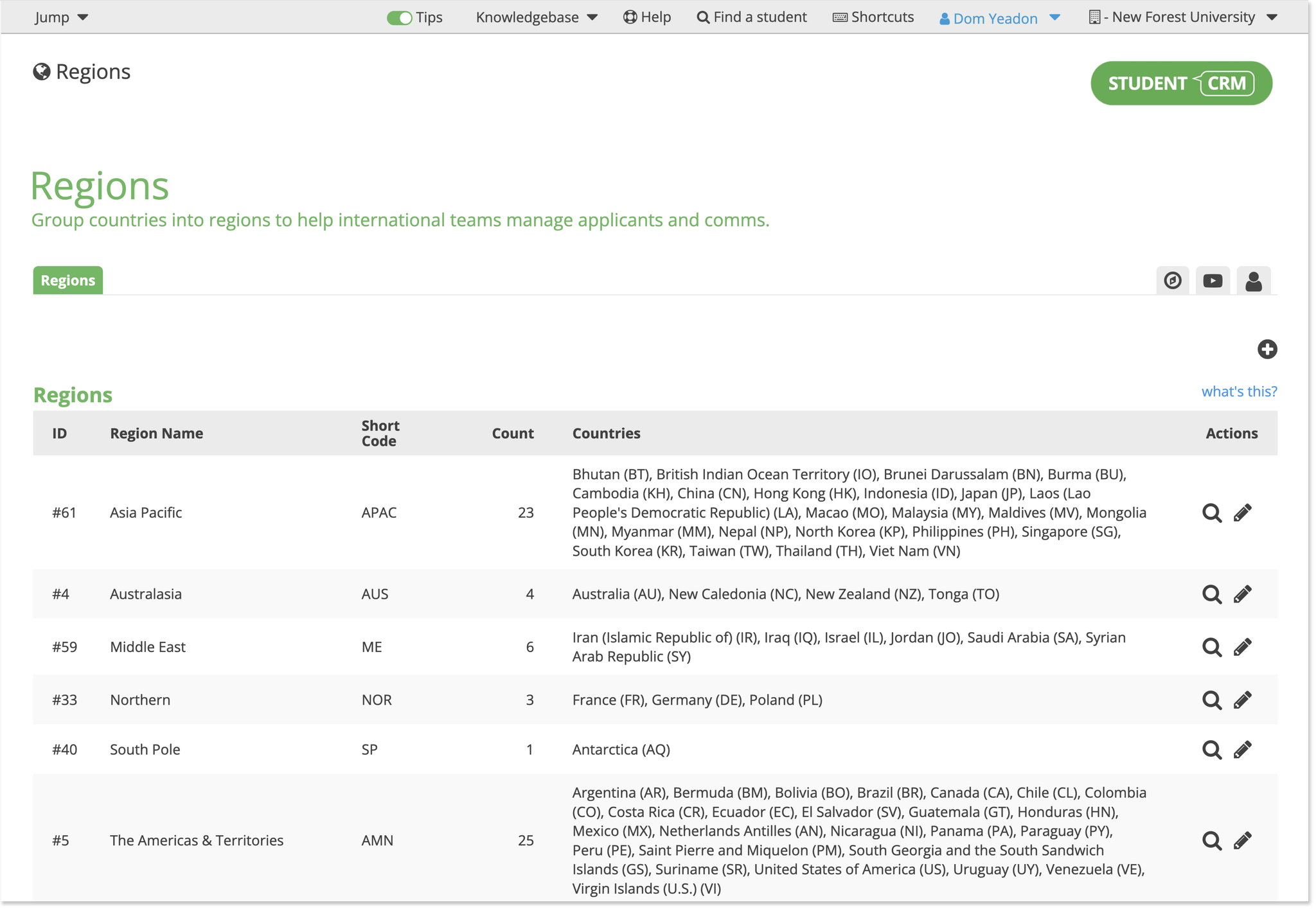
The Regions module helps international teams group countries into defined regions such as Europe, Asia, or Middle East and North Africa, so student data, communications, and reporting all stay consistent.
By assigning each country to a region, your team can segment students, target messaging, and manage enquiries or applications by geography. It’s the foundation of effective regional recruitment and communication planning inside Student CRM.
Everything you need to manage international recruitment efficiently
Targeted communications
Use regional groupings as Touchpoint conditions or segment criteria to send students relevant updates, event invites, or next-step messages relative to their Region and your regional communication strategy.
Dashboard reporting
See exactly how many applications are coming from each region using the Applications dashboard for quick insight and performance tracking.
Team organisation
Assign tasks and ownership to the right regional teams, helping staff manage enquiries and applications from their allocated countries in a structured, transparent way.
Flexible setup
Create as many regions as you need. Your team defines which countries belong to which region and what to name each one, keeping your setup flexible and aligned to your institution’s international strategy.
Consistent coordination
By organising countries into regions, international and admissions teams can manage student data, communications, and follow-ups with confidence and consistency.