

Workflows, Touchpoints & Sequences
The automation engine powering student communications in Student CRM
Workflows, Touchpoints, and Sequences form the backbone of Student CRM’s automated communication system. Together, they deliver personalised, timely, and compliant communications that nurture prospective students from their first enquiry through to application and enrolment.
They connect activity across Rapid Response, Campaign Manager, Event Manager, applications, and the central Student Database.
What are Workflows, Touchpoints & Sequences?
Workflows, Touchpoints & Sequences are Student CRM automation tools that help universities and colleges deliver timely, personalised, and consent-aware communications throughout the prospective student journey. Recruitment, admissions, marketing, events, enquiries, and international teams can trigger activity from live CRM data, send automated email, SMS, letter, and label messages, build multi-step nurture journeys, respond to status changes, and monitor communication performance across connected modules.
Everything you need for personal, timely and compliant communications
Why automation matters
Recruitment teams cannot manually follow up with every prospective student. Automation helps maintain timely communication without losing consistency.
- Send the right message when a student reaches a relevant stage.
- Reduce repetitive administration while maintaining an approved brand voice.
- Keep prospective students engaged throughout the recruitment journey.
- Use live CRM data to keep communication relevant to each recipient.
Workflows automate activity within modules
A workflow groups students who meet defined conditions, such as booking an event or submitting an application, and moves them through relevant stages as their status changes.
- Invited: send booking invitations.
- Booked: share confirmations and practical event details.
- Attended: send follow-up and thank-you messages.
- Did not attend: offer another suitable event or next step.
Result: less repetitive administration and more consistent follow-up.
Touchpoints send automated messages
Touchpoints are messages triggered when a workflow condition is met. Approved designs can be managed through Template Builder.
- Email: branded updates, guidance, and offers.
- SMS: short reminders and confirmations.
- Letter: formal printed correspondence.
- Label: physical items such as badges or envelopes.
Touchpoints can use live CRM data, conditional content, and consent preferences held through the Privacy Centre.
Result: consistent communications that continue running outside office hours.
Sequences automate multi-step journeys
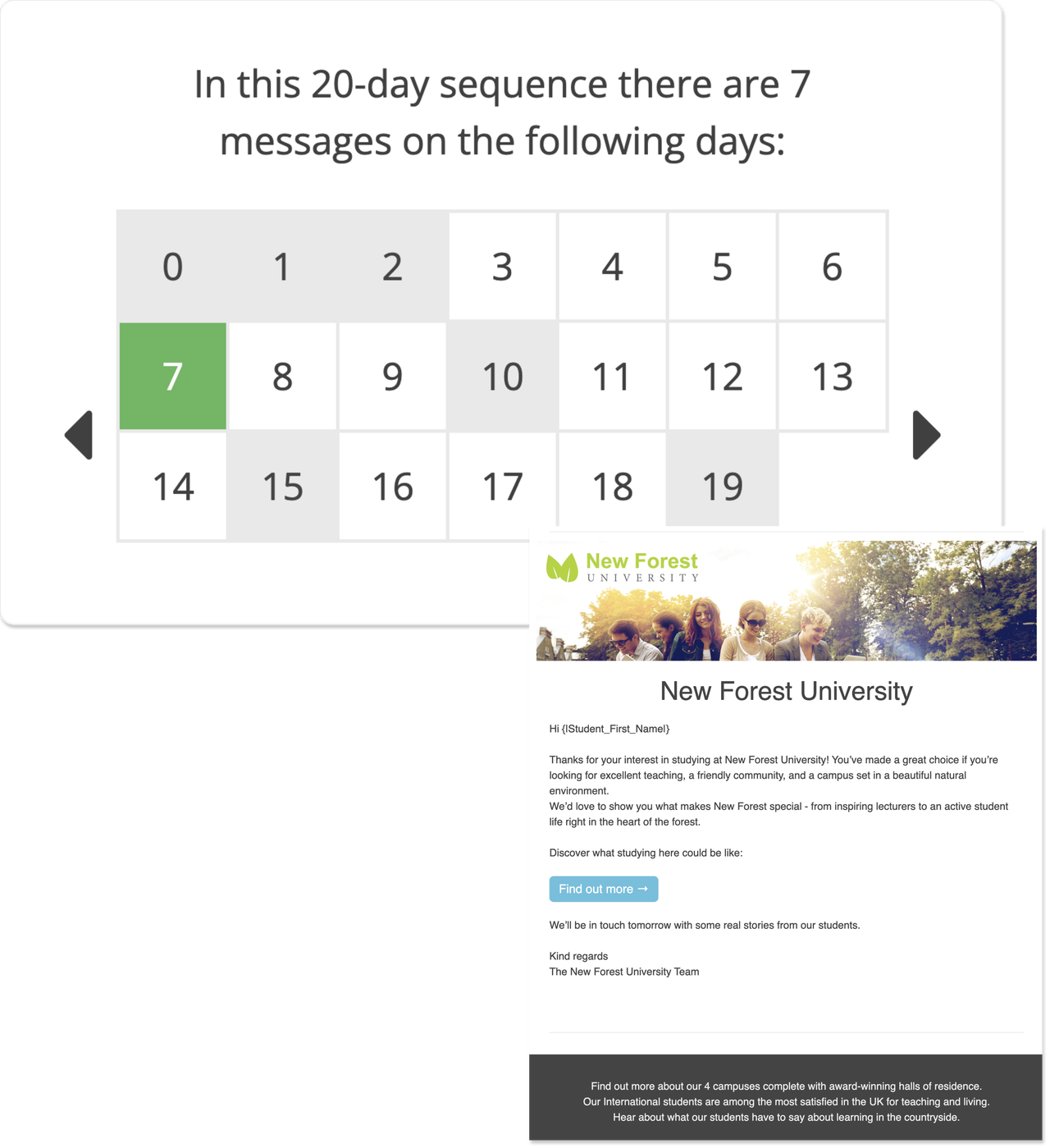
Sequences run multi-step communication journeys using audiences selected from Student Database. They can support campaigns and follow-up activity across multiple modules.
- Day 1: send a welcome email.
- Day 4: share relevant information and check continued interest.
- Day 10: send student life or course-related content.
- Day 14: invite the prospective student to a relevant event.
Result: structured, always-on journeys that can support Campaign Manager activity.
Built-in visibility and insight
Automation can still be reviewed, monitored, and refined. Teams can use Pulse to oversee touchpoints, workflows, reports, and communication performance from a central area.
- Monitor delivery, engagement, and communication activity.
- Maintain an audit trail of messages sent to prospective students.
- Review performance across recruitment stages and connected modules.
- Identify communications or journeys that may need updating.