

Event Day Scanner
Fast, reliable attendance scanning from any smartphone
The Event Day Scanner app turns any iOS or Android smartphone into a quick and reliable event check-in tool. Your team and student ambassadors can scan visitors’ QR codes in seconds, track attendance in real time, and keep event data flowing seamlessly back into Student CRM.
It’s the simplest way to manage arrivals, eliminate paper lists, and get accurate attendance data instantly.
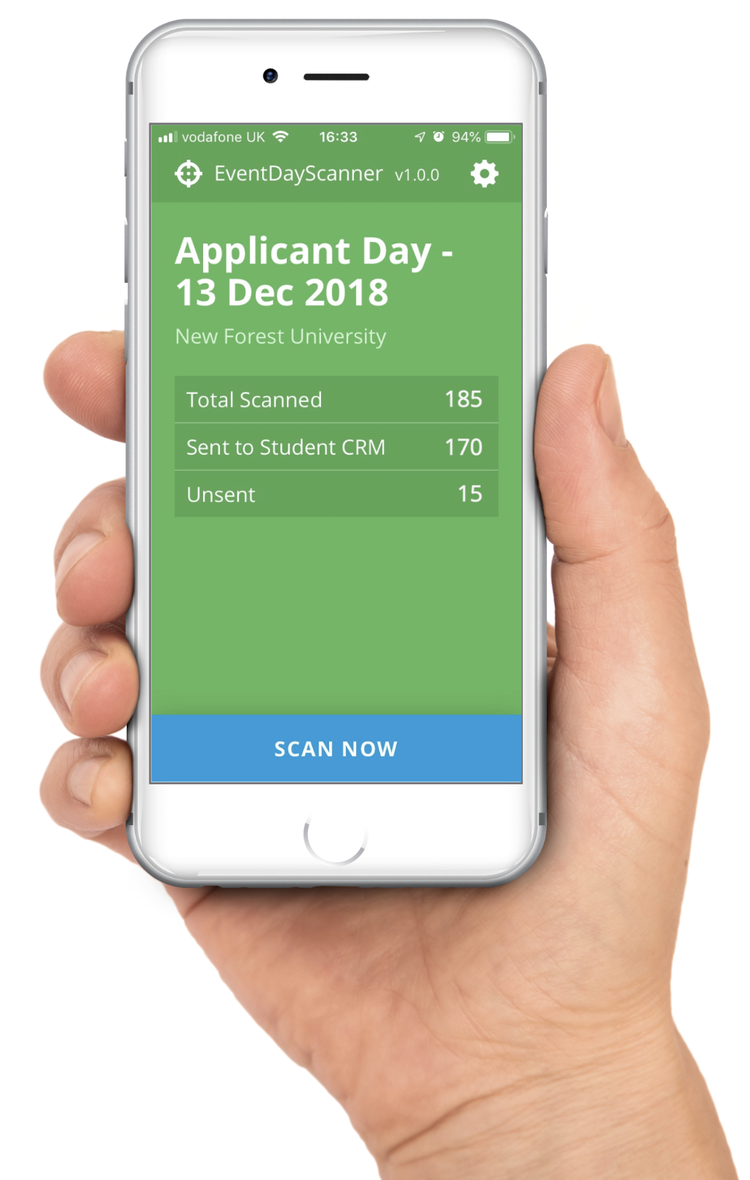
What is Event Day Scanner?
Event Day Scanner is a Student CRM app that turns iOS and Android smartphones into fast, secure event check-in tools for universities and colleges. Events, recruitment, outreach, international, and student ambassador teams can scan visitor QR codes, record attendance in real time, work offline when connectivity is limited, prevent duplicate check-ins, and automatically synchronise attendance data with Event Manager, Pre-Applicant Open Days, Applicant Open Days, and each visitor’s Student CRM record.
Everything you need for smooth, professional event check-ins
Easy scanning
Your team can scan visitor QR codes using just their smartphones.
- Fast, intuitive interface
- Perfect for busy welcome desks
Real-time tracking
Every scan syncs to Student CRM, providing live attendance reports.
- See arrivals instantly
- Monitor capacity in real time
Works offline
No signal? No problem.
- Scans stored locally
- Auto-upload when connected
Multiple users
Run large events with confidence.
- Simultaneous scanning
- Duplicate prevention
Secure by design
Protect student privacy while keeping records accurate.
- No personal data stored
- Only anonymous IDs transmitted
Compatible across modules
Use Event Day Scanner with:
How it works
Before the event
Set up your event in Event Manager, Pre-Applicant Open Days, or Applicant Open Days, add ambassadors, and send them codes via SMS. They download the app, enter their code, and are ready to scan.
During the event
Visitors show their QR code. Ambassadors scan it, logging attendance instantly. Multiple users can scan simultaneously. Offline scans sync later.
After the event
Ambassadors sync any remaining records. Attendance data updates automatically for accurate reports and future insights.